Use Populiva
You can use JATOS with Populiva to recruit participants.
The connection works like this:
- You tell Populiva where to send participants to run your JATOS study.
- You tell JATOS where to send participants back to Populiva once they finish the study.
1. In Populiva: Enter Your JATOS Study Link
When you create a study in Populiva, enter the link to your JATOS study as the study link. The link must use https. You will most likely want a study link of either the General Single or General Multiple type (refer to Run your Study with Study Links for more details).
When a participant starts the study, Populiva opens your study link with three URL query parameters added: PARTICIPANT_ID, STUDY_ID, and SESSION_ID. This modifies the JATOS study link you entered, which is expected and fine.
2. In JATOS: Redirect to Populiva After the Study is Done
First, get the completion URL from the Connect your survey section of your study page in Populiva. It looks like https://populiva.com/c/STUDY_ID?code=COMPLETION_CODE.
Now there are two ways how to tell JATOS the URL:
The easy way is to copy this link into the End Redirect URL field within your Study Properties in JATOS:
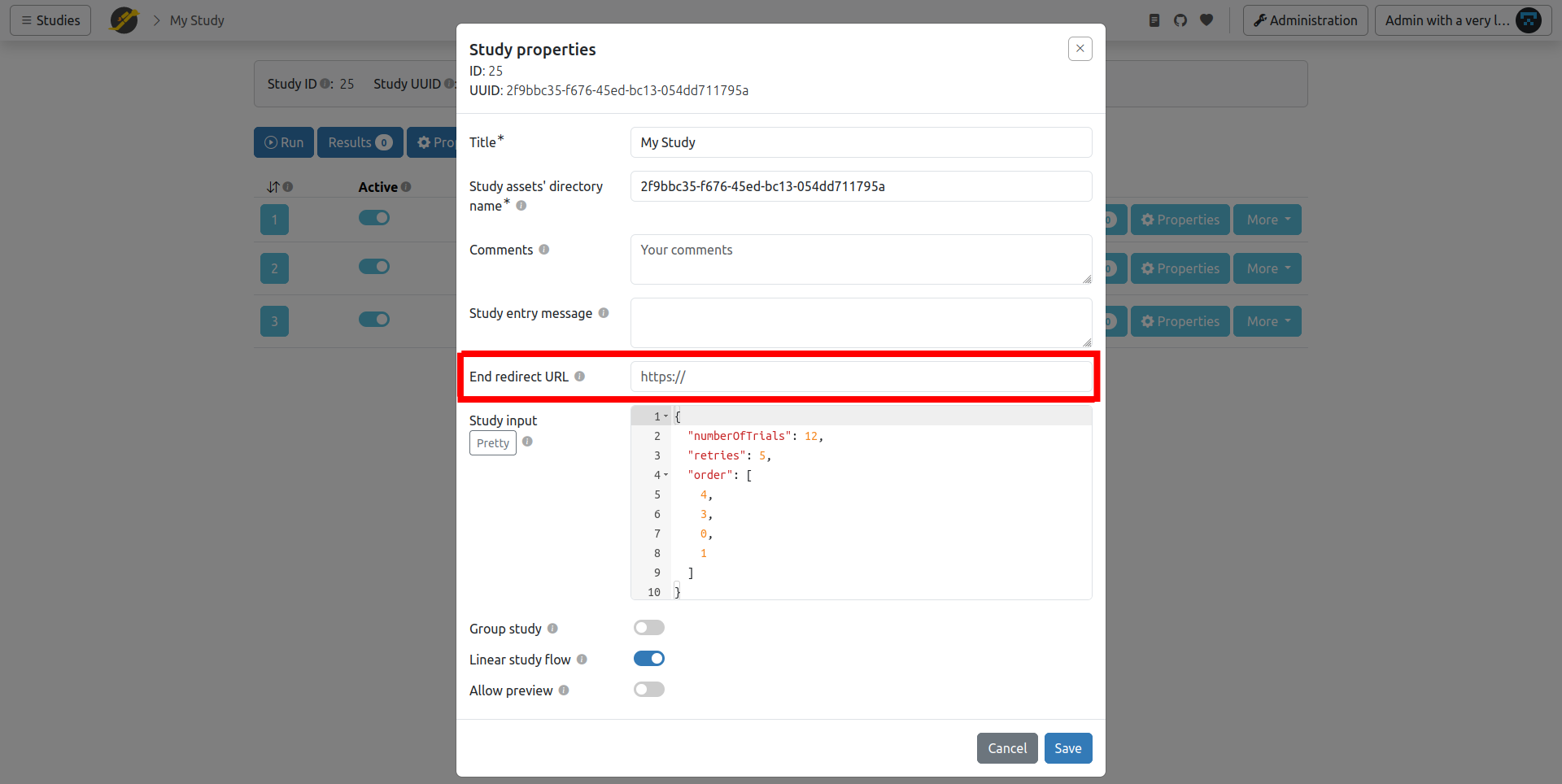
In some cases, you might want to handle the redirection from within your JavaScript, programmatically, with the
jatos.endStudyAndRedirectfunction.For example (remember to change this URL to the one you see in Populiva):
jatos.endStudyAndRedirect("https://populiva.com/c/STUDY_ID?code=COMPLETION_CODE");
A Populiva study can have more than one completion code, each with its own outcome (for example, a paid screen-out). The default code sends the submission to manual review. If some participants should end the study with a different code, e.g. because they were screened out or failed an attention check, use jatos.endStudyAndRedirect with the completion URL for that code.
Bonus (Optional) - Use Populiva's URL Parameters in Your Study
You can access the parameters PARTICIPANT_ID, STUDY_ID, and SESSION_ID within your study's JavaScript via jatos.urlQueryParameters, e.g. jatos.urlQueryParameters.PARTICIPANT_ID. PARTICIPANT_ID is a pseudonymous ID: it stays the same for a participant across your lab's studies, and is different for each lab. SESSION_ID is new for each attempt at the study.
For more information, see Populiva's guides.