Overview
In a group study, workers who belong to the same group can communicate with each other. JATOS supports different types of groups. For example, a group can have a fixed number of workers, as in the Prisoner's Dilemma, where exactly two workers play together. At the other end of the spectrum is the Snake game, which uses an open group with multiple workers.
How to Run a Group Study Multiple Times in the Same Browser
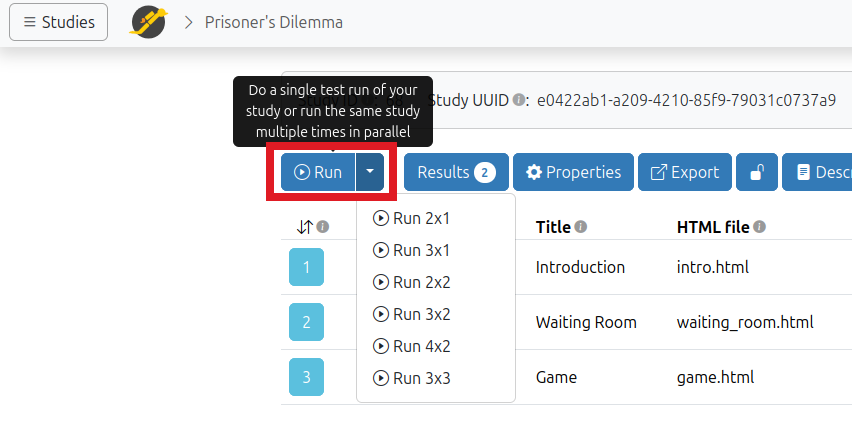
When testing or developing a group study, you may want to run the study multiple times in parallel in the same browser.
Since JATOS 3.10, you can do this by clicking the ▼ next to the Run button. You can then choose the number of simultaneous runs and how their browser windows should be arranged.
Group Overview
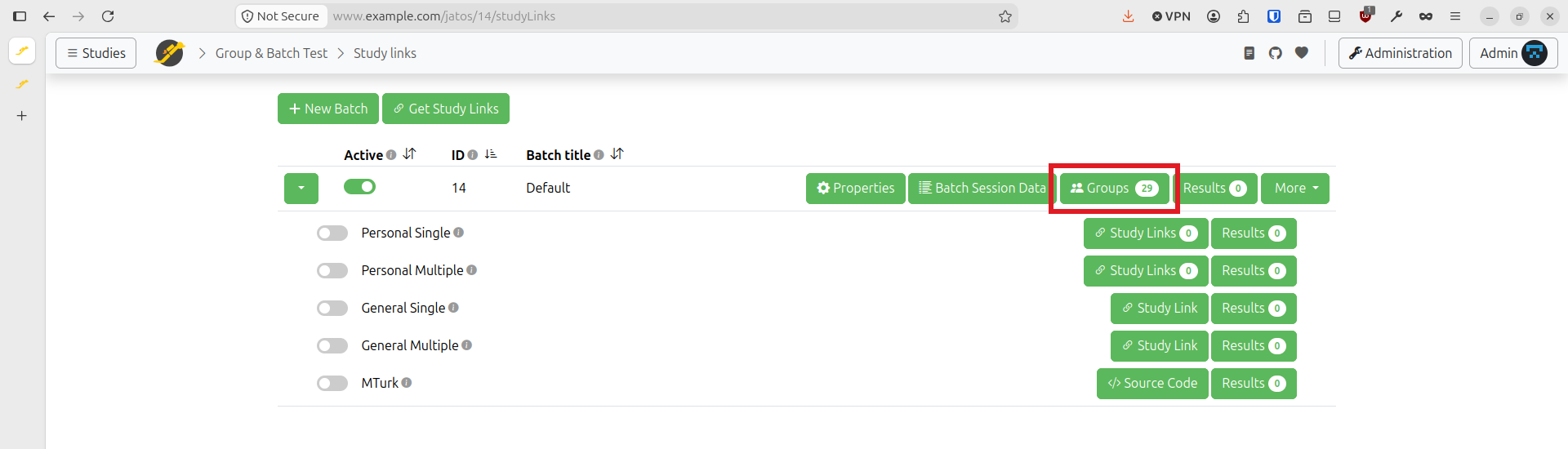
Groups are organized at the batch level. To see the groups associated with a particular batch, go to Study Links, find the batch, and click Groups.
The group overview looks similar to this:
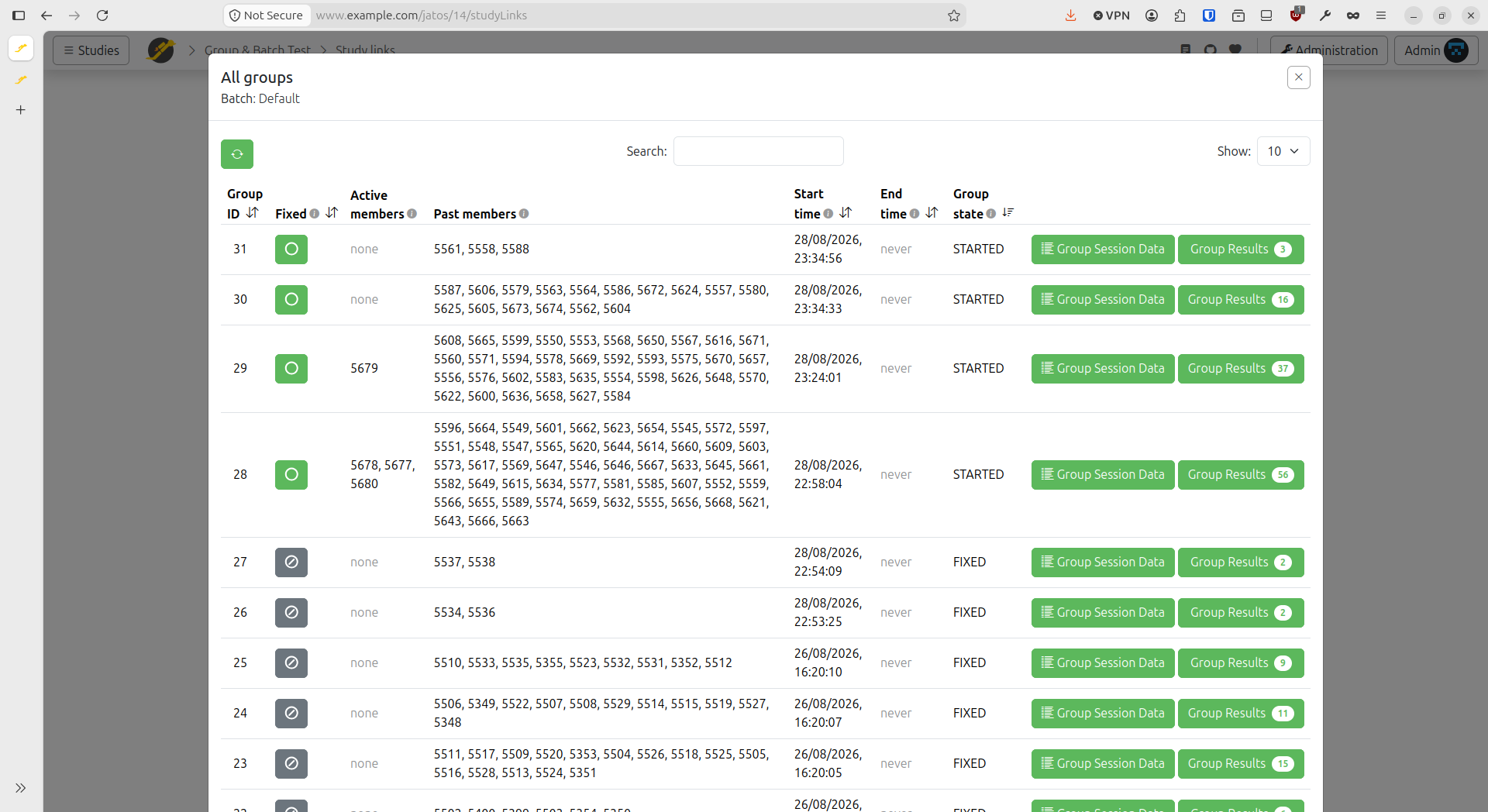
- Fixed: Fixes the group, preventing new members from joining and preserving its current composition. This has the same effect as the jatos.js function
jatos.setGroupFixed. See Fixing a Group for more information. - Active workers: Workers who are currently members of the group.
- Past workers: Workers who were previously members of the group.
- Results: Study results belonging to this particular group.
- Group state: The current state of the group:
START,FINISHED, orFIXED.
From this page, you can also view and modify the Group Session Data of each group.
Behind the scenes, group studies provide real-time communication between group members. Members can send messages directly to individual members or broadcast them to the entire group.
Next step: Write Your Own Group Studies.